Local Operator · 本地 AI 助理中心
 VibeMySpace 精选@vibemyspace-curated
编辑介绍
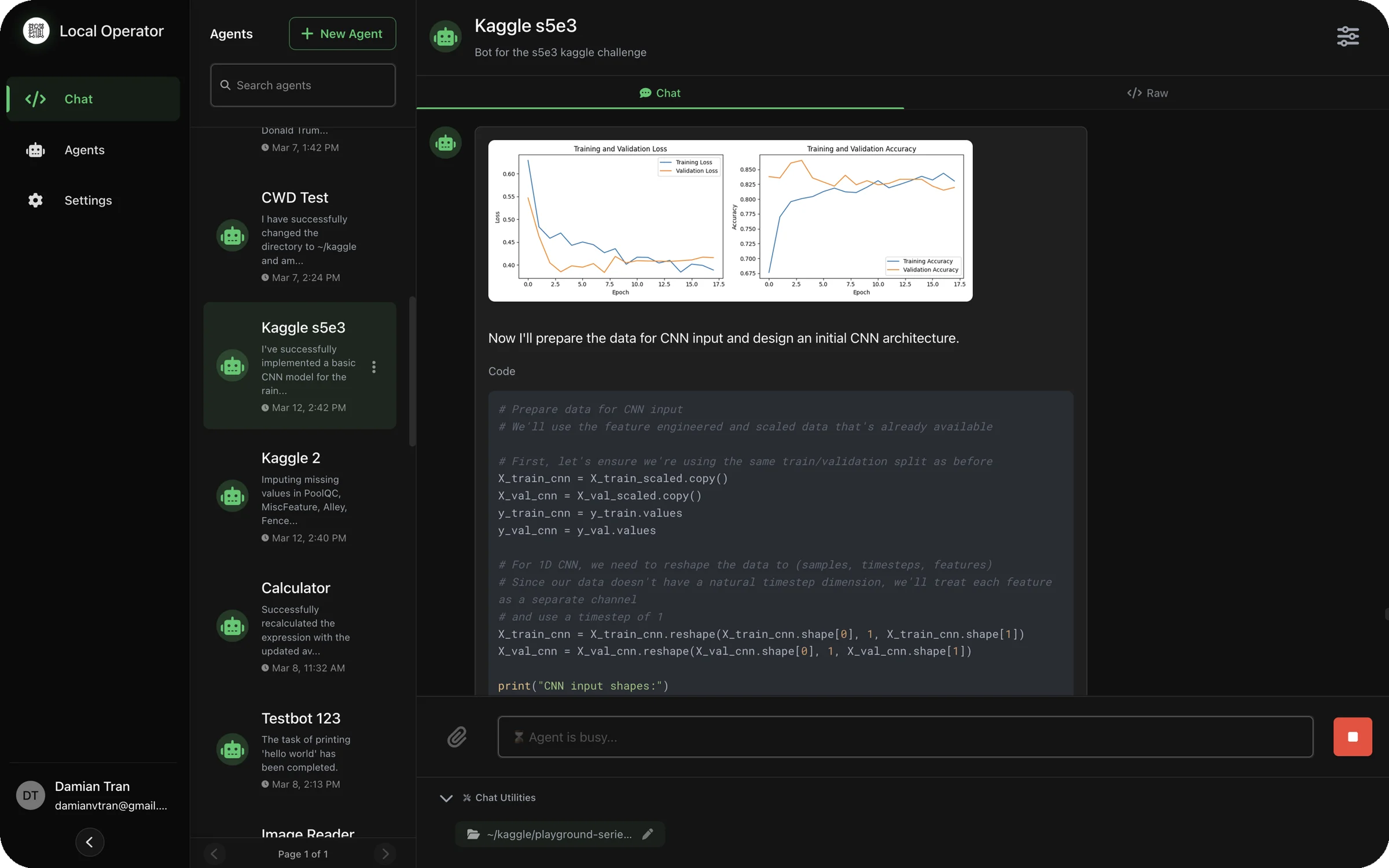
任务、会话、运行记录和多名助理集中在一个本地工作区。
AI 用途:本地 AI 助理在后台执行重复任务,并按个人任务空间持续工作。
使用方式:可接用户自己的 Ollama,也可填写 OpenAI、Anthropic、DeepSeek、Kimi、Qwen、Gemini、Mistral、xAI 或 OpenRouter API。
原帖正文
<h1 align="center">Local Operator: AI Agent Assistants On Your Device</h1> <h2>🤖 Personal AI Assistants that Turn Ideas into Action</h2> <p><i>Real-time code execution on your device through natural conversation</i></p> <p align="center"><i>Local Operator server powering the open source UI. The frontend is optional and available <a href="https://github.com/damianvtran/local-operator-ui">here</a></i> or by downloading from the <a href="https://local-operator.com">website</a></p><span style="color: #38C96A">Local Operator</span> empowers you to run Python code safely on your own machine through an intuitive chat interface. The AI agent:
🎯 Plans & Executes - Breaks down complex goals into manageable steps and executes them with precision.
🔒 Prioritizes Security - Built-in safety checks by independent AI review and user confirmations keep your system protected
🌐 Flexible Deployment - Run completely locally with Ollama models or leverage cloud providers like OpenAI
🔧 Problem Solving - Intelligently handles errors and roadblocks by adapting approaches and finding alternative solutions
This project is proudly open source under the MIT license. We believe AI tools should be accessible to everyone, given their transformative impact on productivity. Your contributions and feedback help make this vision a reality!
"Democratizing AI-powered productivity, one conversation at a time."
<a href="#-contributing">Contribute</a> • <a href="https://local-operator.com">Learn More</a> • <a href="#-examples">Examples</a>
📚 Table of Contents
- 🔑 Key Features
- 💻 Requirements
- 🚀 Getting Started
- 🖥️ Usage (CLI)
- 🌟 Radient Agent Hub and Automatic Model Selection
- 📝 Examples
- 👥 Contributing
- 🔒 Safety Features
- 📜 License
🔑 Key Features
- Interactive CLI Interface: Chat with an AI assistant that can execute Python code locally
- Server Mode: Run the operator as a FastAPI server to interact with the agent through a web interface
- Code Safety Verification: Built-in safety checks analyze code for potentially dangerous operations
- Contextual Execution: Maintains execution context between code blocks
- Conversation History: Tracks the full interaction history for context-aware responses
- Local Model Support: Supports closed-circuit on-device execution with Ollama.
- LangChain Integration: Uses 3rd party cloud-hosted LLM models through LangChain's ChatOpenAI implementation
- Asynchronous Execution: Safe code execution with async/await pattern
- Environment Configuration: Uses credential manager for API key management
- Image Generation: Create and modify images using the FLUX.1 model from FAL AI
- Web Search: Search the web for information using Tavily or SERP API
The Local Operator provides a command-line interface where you can:
- Interact with the AI assistant in natural language
- Execute Python code blocks marked with
pythonsyntax - Get safety warnings before executing potentially dangerous operations
- View execution results and error messages
- Maintain context between code executions
Visit the Local Operator website for visualizations and information about the project.
💻 Requirements
- Python 3.12+ with
pipinstalled - For 3rd party hosting: OpenRouter, OpenAI, DeepSeek, Anthropic, Google, or other API key (prompted for on first run)
- For local hosting: Ollama model installed and running
🚀 Getting Started
🛠️ Installing Local Operator
To run Local Operator with a 3rd party cloud-hosted LLM model, you need to have an API key. You can get one from OpenAI, DeepSeek, Anthropic, or other providers.
📦 Install via pip
⚠️ Linux Installs (Ubuntu 23.04+, Fedora 38+, Debian 12+) Due to recent changes in how Python is managed on modern Linux distributions (see PEP 668), you cannot use
pip installglobally on system Python.
-
MacOS & Windows
pip install local-operator -
Linux
pipx install local-operator -
📌 (Optional) Virtual python
python3 -m venv .venv source .venv/bin/activate pip install local-operator -
📌 (Optional) Enabling Web Browsing
This is not necessary to use the web browsing tool, as the agent will automatically install the browsers when they are needed, but it can be faster to install them ahead of start up if you know you will need them.
playwright install -
📌 (Optional) Enabling Web Search
To enable web search, you will need to get a free SERP API key from SerpApi. On the free plan, you get 100 credits per month which is generally sufficient for light to moderate personal use. The agent uses a web search tool integrated with SERP API to fetch information from the web if you have the
SERP_API_KEYset up in the Local Operator credentials. The agent can still browse the web without it, though information access will be less efficient.-
Get your API key and then configure the
SERP_API_KEYcredential:local-operator credential update <SERP_API_KEY>
-
-
📌 (Optional) Enabling Image Generation
To enable image generation capabilities, you'll need to get a FAL AI API key from FAL AI. The Local Operator uses the FLUX.1 model from FAL AI to generate and modify images.
-
Get your API key and then configure the
FAL_API_KEYcredential:local-operator credential update <FAL_API_KEY>
-
📦 Install via Nix Flake
If you use Nix for development, this project provides a flake.nix for easy, reproducible setup. The flake ensures all dependencies are available and configures a development environment with a single command.
-
Enter the development shell:
nix developThis will drop you into a shell with all required dependencies (Python, pip, etc.) set up for development.
-
Run the project as usual:
You can now use the CLI or run scripts as described in the rest of this README.
Benefits
- No need to manually install Python or other dependencies.
- Ensures a consistent environment across all contributors.
- Works on Linux, macOS, and (with nix-darwin) on ma
来源与作者
- 原作者:Damian Tran (@damianvtran)
- 发布平台:GitHub
- 原帖:查看原帖
- 权利说明:VibeMySpace 仅作带来源的整理展示,内容与图片权利归原作者。
开源信息
已开源。